
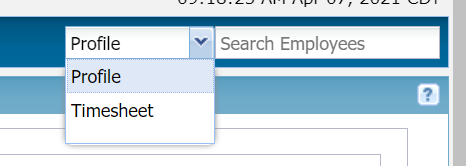
Carlton from our support team wants to remind everyone about one of his favorite ways to save customer managers unnecessary clicks when doing quick time management tasks for their employees. There is an employee search box at the top right of almost every Clockwise screen that will easily find the employee profile or current timesheet of any employee in the groups they manage. It's the quickest way to navigate to any employee in Clockwise. Of course, Employee Search is a feature that can be enabled and disabled. Some customers decide for their own good reasons to disable it. If you don't see the employee search box on the top right and would like to have this shortcut available, ask your company's Clockwise admin to turn it on if your business policy allows. Tagged: Find EmployeesSearch
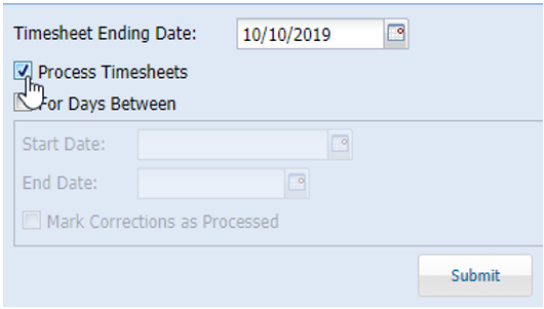
...That is the question. At least when you're exporting timesheets. One of the most common requests we get at TeamKeeper (formerly Clockwise) Customer Support is to "unprocess" inadvertently processed, meaning prematurely frozen, timesheets. And we're pretty sure nobody starts their day with "Call TeamKeeper (formerly Clockwise) Support to unprocess our timesheets" on their To Do list.
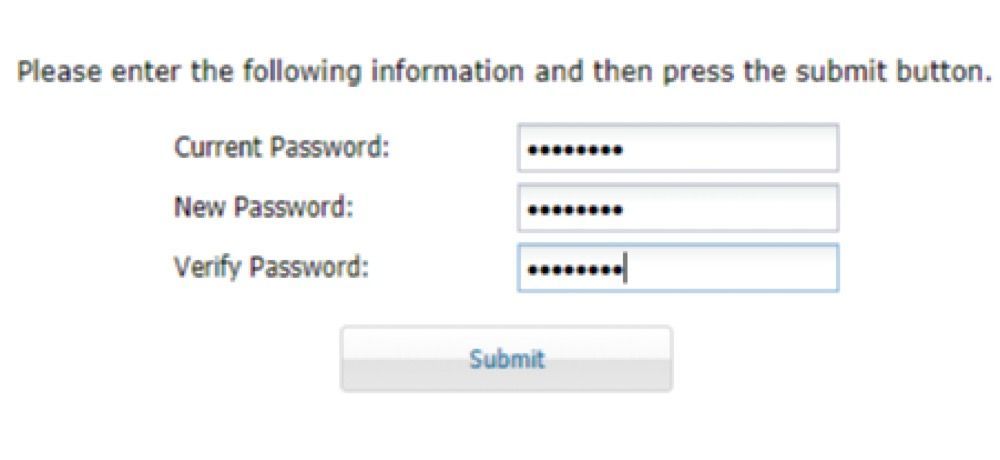
Our support team has been getting a lot of calls to reset TeamKeeper (formerly Clockwise) passwords recently. Of course we're always happy to take your calls and help you with whatever you need ((866) 380-4146 ext 2, support@teamkeeper.com.) But in case you'd like to be able to take care of this routine issue yourselves, we'll cover the basics of setting up and using password recovery in TeamKeeper. First of all, the password recovery feature needs to be enabled on your site. If you don’t currently have that feature and would like it, feel free to contact our support team via chat, calling (866) 380-4146 ext 2, or emailing support@teamkeeper.com. Any of our support representatives will be more than glad to assist you in setting that feature up. Once the password feature is enabled on your site, your site admin needs to do two things: 1) Ensure that Employee Password Change Notification is turned on. 2) Provide an accurate email address in the profiles of all employees you want to have this feature. TeamKeeper uses secure email notifications to send the reset password.
Finally, the weather here in Houston is starting to feel like Spring again. The first quarter of 2021 is almost behind us and this is as good a time as any to update your Authorized Contacts for TeamKeeper (formerly Clockwise). If it's been a while, the people who are your current primary TeamKeeper (formerly Clockwise) admins may be different than the people we have listed on your account with us. In order to provide you our free, unlimited customer service, we have to assume that the people who are requesting changes are authorized to make those requests on your behalf. So anyone who could request service for your TeamKeeper (formerly Clockwise) site must be listed with us. Fortunately, you can easily update your contacts with a quick online form located here . Little known fact: Your new authorized contacts are eligible for free remote TeamKeeper (formerly Clockwise)admin training, just like the initial training you got when we set up your site. To schedule your free training or for any questions about updating your authorized contacts, reach out to our customer support team and we'll hook you up. Tagged: Authorized Contacts
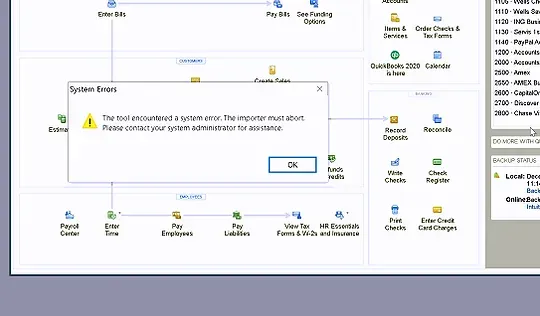
Here's a quick answer for a very common Quickbooks error message many users encounter while trying to run an import.
Did you know that you can access the user guide quickly from almost every Clockwise screen by clicking this little box at the top right? This link will take you to the section of the Clockwise User Guide that matches the screen and will present it to you in an easy-to-navigate outline format, such as
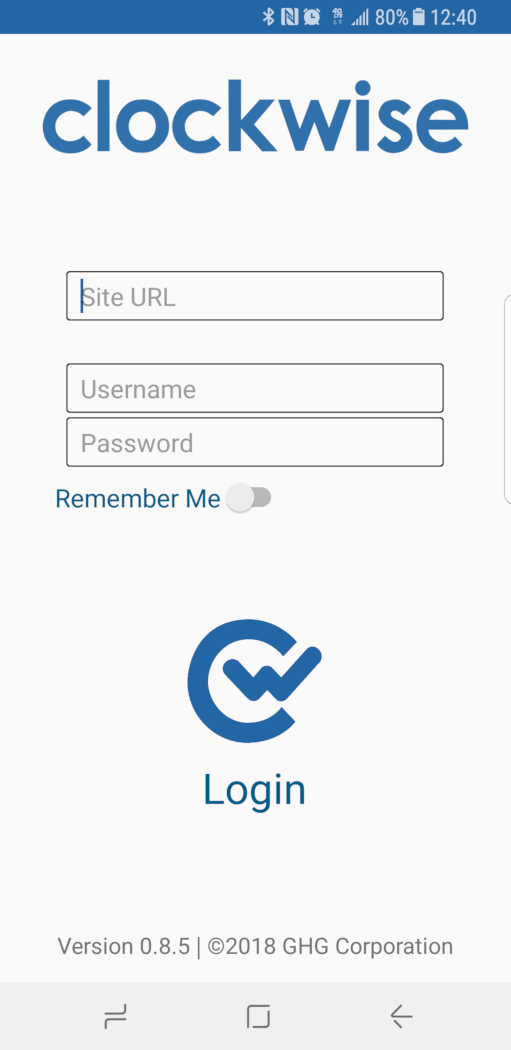
TeamKeeper (formerly Clockwise) Mobile by GHG has been available on the iOS and Android app stores for your employees to download for a while now. The Clockwise Mobile app will allow your company employees to clock in and out, edit their timesheets, request leave, submit their timesheets, and much more from the convenience of their mobile devices. But, for TeamKeeper (formerly Clockwise) Mobile to work for your employees, there are a few prerequisites that need attention: Every app user needs to have a device ID set in their employee profiles. That way the Clockwise Server Application recognizes their phone as an acceptable time recording device. Your company's Clockwise version may need to be updated to version 7.5.3.11 or later for many of the app features to work. If you have any questions about Clockwise Mobile or want help getting your Clockwise site ready for your mobile users, please call our customer support team at (866) 380-4146 ext. 2 or send an email to support@teamkeeper.com. Tagged: device ID
Coming Soon!
Coming Soon!
We've posted before about the basics of leave tracking under the new FFCRA. A number of customers have already asked us to help them set up leave codes to help them track FFCRA-related leave. Then the EEOC released some guidelines for employers about Covid-19 , suggesting that all Covid-19 related employee records must be treated like medical records. So, that brings up the question: Are timesheets with charges to these FFCRA leave codes considered by the EEOC as protected health records? I called the EEOC and one of their legal counsel told me: "it depends on how you name the FFCRA charge codes." If you call them, say, 'FFCRA 1' (for FFCRA reasons 1-3) and 'FFCRA 2' (for reasons 4-5) you can track the two different FFCRA pay rates and not give away any employee health information. If you call them 'Covid-19 Employee' and 'Covid-19 Caregiver' or something, those charges might convey employee health information and need to be protected as such. So, according to the EEOC, be sufficiently vague when naming your FFCRA leave codes and you're in the clear. We'd suggest sticking to names that refer to the FFCRA and the two pay rates, like 'FFCRA full' and 'FFCRA two thirds,' and leave mentions of "Covid" or "coronavirus" out of it altogether.